Kentico: How to adjust the location of the business on the map

How to Kentico
26. 05. 2026
Lukáš Šorf

*The guide is created for Kentico webforms. In newer versions, the settings for some features may differ. Not sure which version of Kentico you are using? Our helpdesk can assist you.


Do you need to move the pin on the map to another city or just to a different street? The adjustment is made by modifying the GPS coordinates.
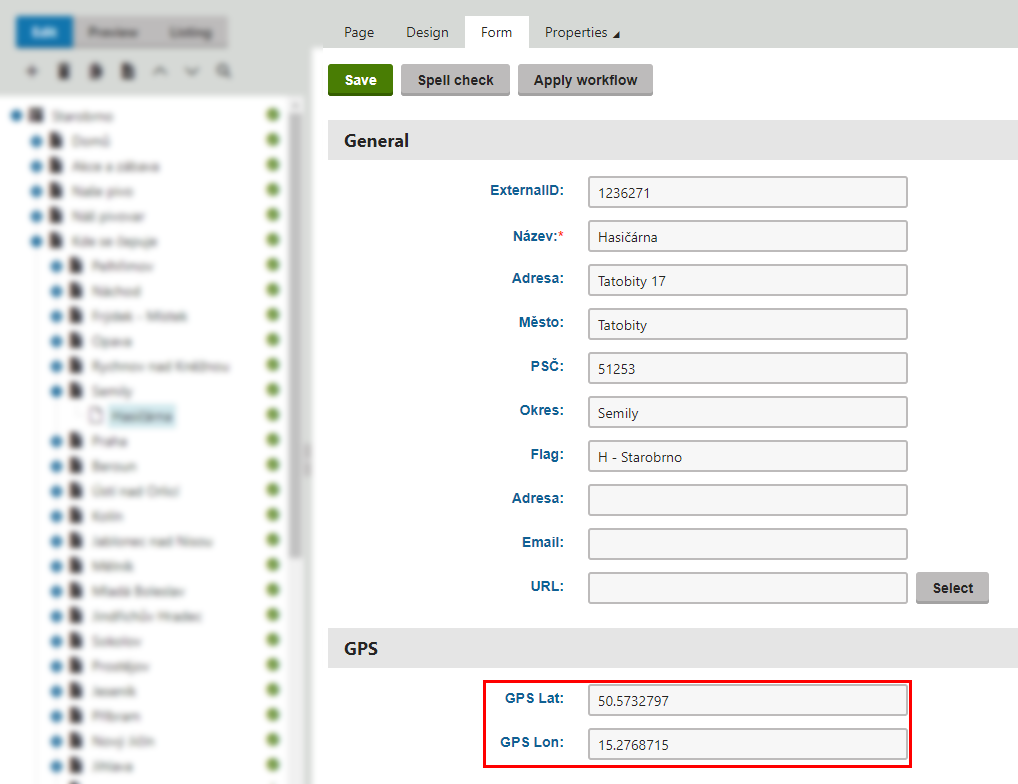
In the specific establishment, click on the Form tab. In the GPS section, there are two fields: GPS Lat. and GPS Lon.


New coordinates can be obtained, for example, from Google Maps.


1. Enter the address in Google Maps.

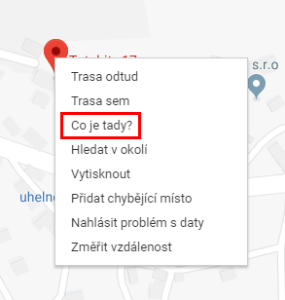
2. Right-click on the displayed pin and select "What's here?".


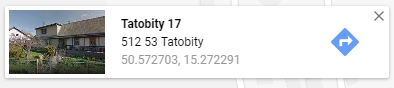
3. A window with the GPS coordinates of the entered address will appear at the bottom of the screen.


4. Enter the coordinates into the GPS Lat. and GPS Lon. fields in the administration.