Kentico: How to hide a page from the menu and redirect it

How to Kentico
26. 05. 2026
Lukáš Šorf

*The guide is created for Kentico webforms. In newer versions, the settings for some features may differ. Not sure which version of Kentico you are using? Our helpdesk can assist you.


In Kentico, you have the option to create a page and ensure that it does not appear in the menu, meaning in the main navigation of the website. You can redirect it anywhere you want. We will show you how to do that.

How to hide a page in the menu

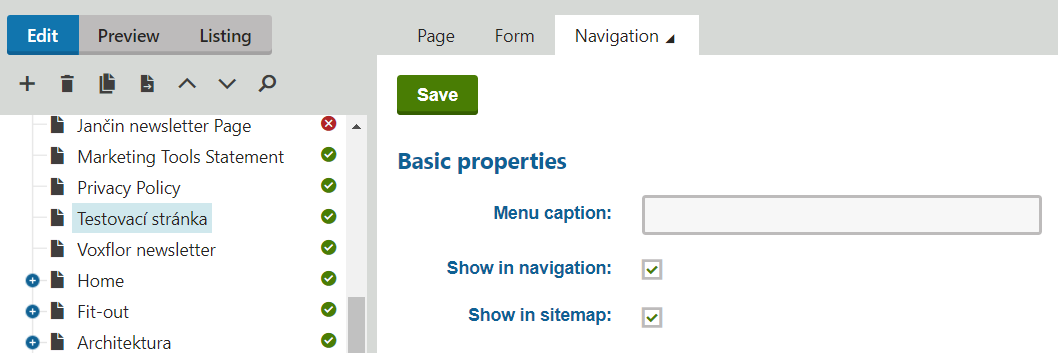
You can achieve this functionality by setting it up in the Kentico administration → Pages → specific page → in the top right tab "Properties" → "Navigation".

You should reach a similarly looking page:

By checking the checkbox "Show in navigation", you ensure that the page will not be displayed in the menu.

Additionally, the field "Menu caption" is used to name the page as an item in the menu. You are not renaming the page itself, only its title in the main navigation menu.

The field "Show in sitemap" determines whether the page will be included in the sitemap. More about the sitemap and page indexing can be found in the guide How to Properly Set Up Page Indexing in the Kentico Platform.


Redirects and Page Behavior in the Menu

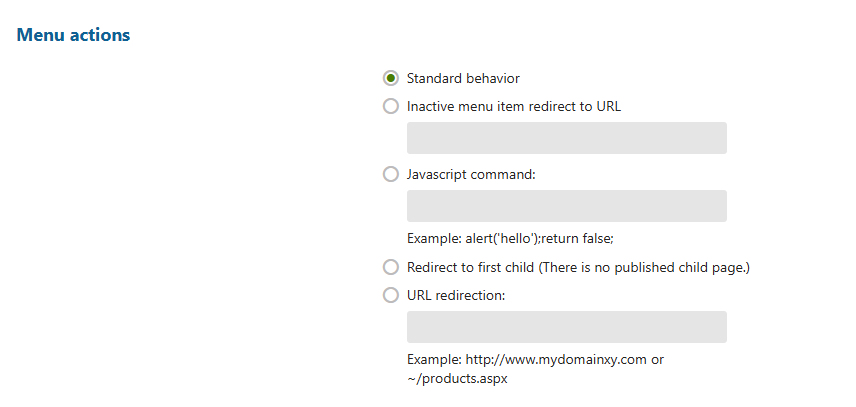
In Kentico, on a specific page and in the same settings → tab "Properties" → "Navigation" and in the section "Menu actions" you manage the behavior of the page in the menu:

"Standard behavior" → ensures standard behavior of the menu item, the page in the menu is active and redirects to its URL

"Inactive menu item redirect to URL" → deactivates the menu item, the page in the menu cannot be clicked and the URL of the page will redirect to a new specified address in the settings example:

  • The menu item is inactive and the original URL https://vasedomena.cz/testovaci-strankanově redirects to https://seznam.cz

"Javascript command" → Kentico allows you to set a simple javascript command for a specific page

  • This field is rather unused

"Redirect to first child" → if your page has subpages, checking this box will redirect the page to its first subpage

  • If the page has no subpages, the field states "(There is no published child page.)", which translates to "There is no published subpage."

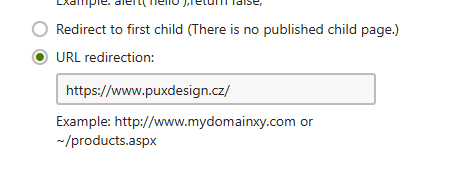
"URL redirection" → is used to redirect to any other URL of the website

  • For example: