Kentico: How to Properly Set Up Page Indexing

How to Kentico
26. 05. 2026
Lukáš Šorf

*The guide is created for Kentico webforms. In newer versions, the settings for some features may differ. Not sure which version of Kentico you are using? Our helpdesk can assist you.


In Kentico, all pages (created Pages) are indexed by default when the website is launched, unless set or agreed otherwise. Pages on your website are always reflected in the so-called Sitemap.
What is a sitemap and page indexing

A sitemap is a file (most commonly in .XML format) that contains a current listing of the pages created on the website. It helps internet search engines like Google, Seznam, Bing, etc. to navigate your website and index your pages.


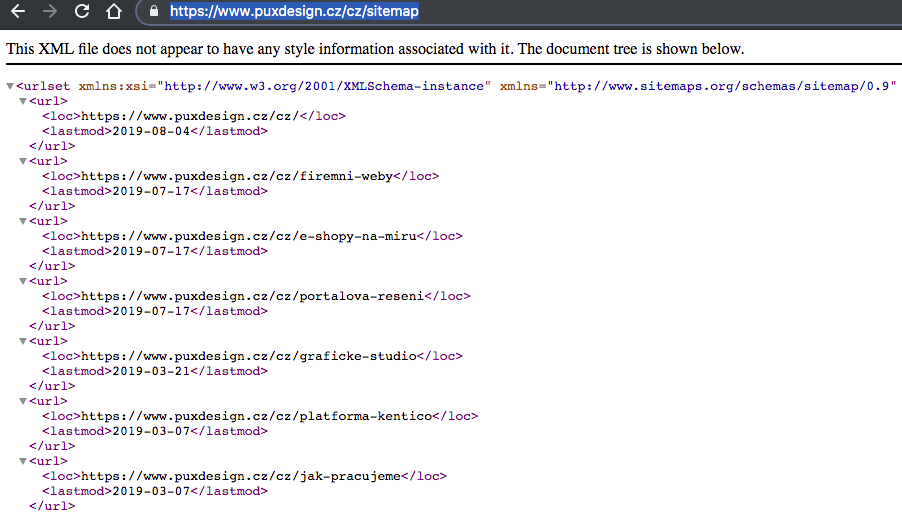
You can view the sitemap at any time by entering your website's URL and adding "sitemap.xml" at the end after the slash. For example: https://www.puxdesign.cz/cz/sitemap.

For proper display of the sitemap, open it in an incognito window of your browser or in another web browser where you are not logged into your Kentica administration.

A listing from the sitemap may look something like this:


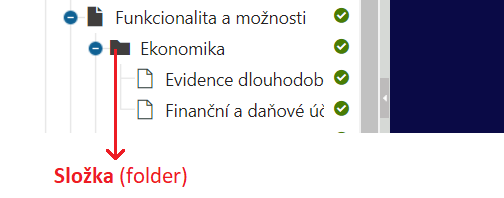
Please note that pages located in folders, such as for clarity in the tree, are not included in the sitemap. Such pages are excluded to prevent system folders and other internal or system folders in the Kentico tree from being indexed unnecessarily by internet search engines.


If some new pages are not being indexed, check if they are nested in folders. A page nested in a folder may look like this:


In Kentico, you have the option to influence the inclusion of the page in the Sitemap.


Disabling Page Indexing

If you have created a page that you do not want to be indexed and thus "hide" it from internet search engines, follow the procedure described below. (This setting does not affect pages that are nested in folders.)


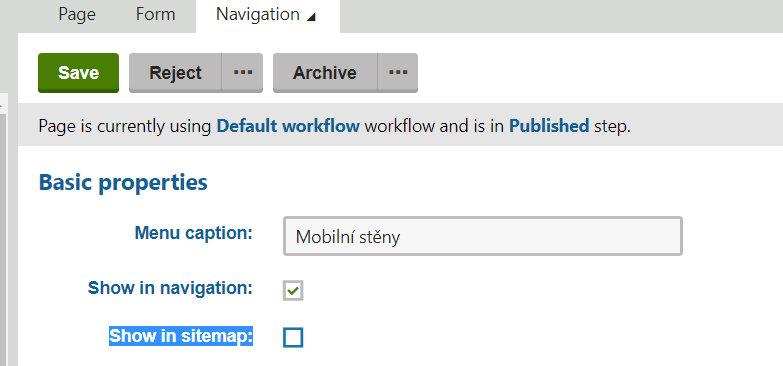
1. In Kentico → Pages → select the desired page you do not want to index → on the right, click the "Properties" button → choose "Navigation"


2. In the field, uncheck "Show in sitemap"

The settings may look as follows:


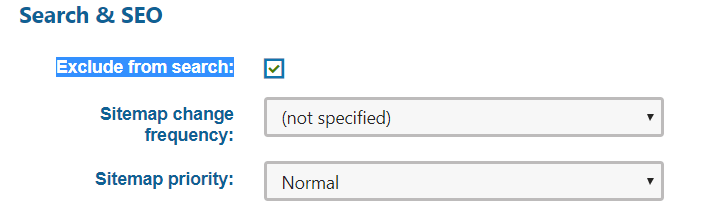
3. In Kentico, on the Navigation page and at the bottom in the "Search & SEO" section, check the box "Exclude from search"

- this sets the so-called meta tag robots for the page = <meta name=“robots“ content=“noindex, nofollow“>, which allows you to prohibit search engine robots from indexing content or following links


4. Save the changes with the green button "Save" and check your sitemap. The link to the modified page should not be reflected in the sitemap.

The page also has a meta tag robots set, see point 3.


Done.